{
    "id": "63734640-d906-4607-b763-a91d079d6300",
    "name": "Manage Resource Locks",
    "slug": "manage-resource-locks",
    "status": "published",
    "lab_type": "pta",
    "is_sample": false,
    "duration_in_seconds": 1800,
    "metadata": {
        "courses": [
            "bdbadde2-fe15-49c9-b700-c0c8873eb04f",
            "d912fd3f-d9a9-4107-a303-71f8d2b1f2e5"
        ],
        "pta_sdn": "390",
        "pta_namespace": "my.ine",
        "learning_paths": [],
        "has_published_parent": true
    },
    "session": null,
    "company": "a491bc32-c056-4946-9169-cc053387bada",
    "created": "2022-10-07T17:06:07.902921Z",
    "modified": "2023-10-03T18:58:43.474799Z",
    "is_beta": false,
    "lab_objectives": [],
    "main_learning_area": "d3f82c70-f4e7-428e-afd7-4b1d28988e18",
    "learning_areas": [
        {
            "id": "d3f82c70-f4e7-428e-afd7-4b1d28988e18",
            "name": "Cloud",
            "slug": "cloud"
        }
    ],
    "categories": [],
    "tags": [],
    "difficulty": null,
    "is_web_access": true,
    "is_lab_experience": false,
    "is_featured": false,
    "cve": null,
    "severity": null,
    "year": null,
    "classification": null,
    "is_trackable": false,
    "cpe_credits": null,
    "is_skill_check": false,
    "external_url": "",
    "solution_video": null,
    "explanation_video": null,
    "description": "The goal of this task is to verify the function of ARM resource locks. This includes creating resource level and resource group level locks and verify that they prevent unwanted changes to resources.",
    "description_html": "<p>The goal of this task is to verify the function of ARM resource locks. This includes creating resource level and resource group level locks and verify that they prevent unwanted changes to resources.</p>",
    "tasks": "",
    "tasks_html": "",
    "published_date": "2020-06-16T15:32:04Z",
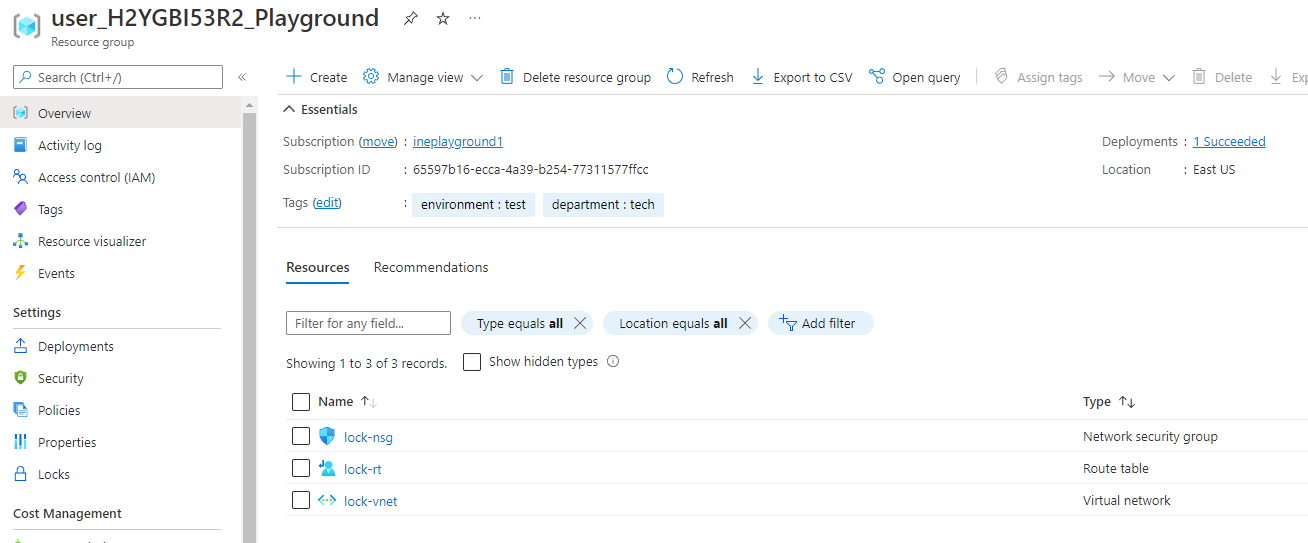
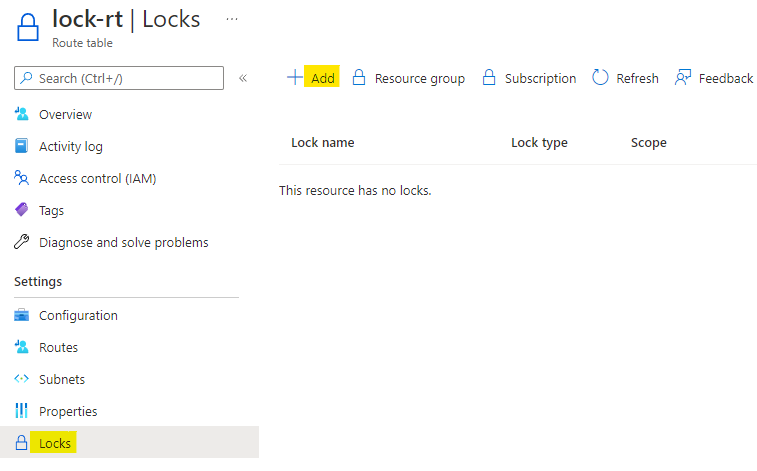
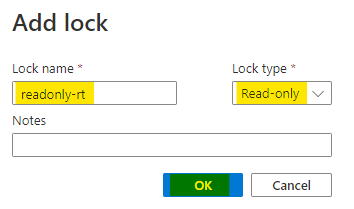
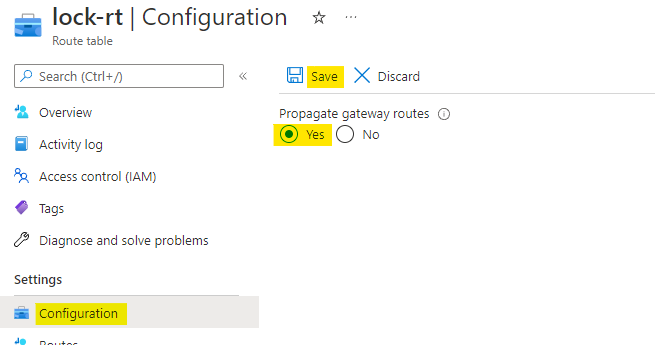
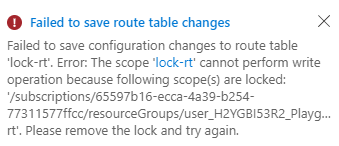
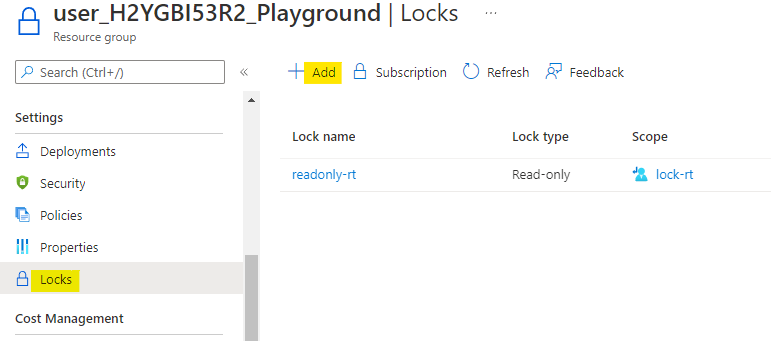
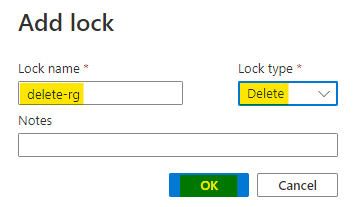
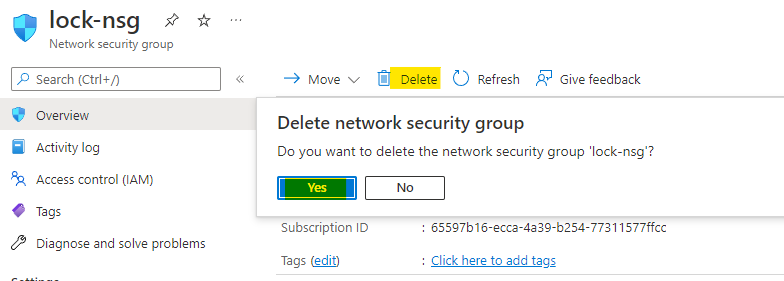
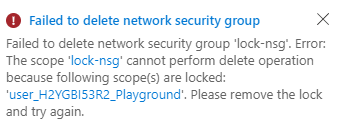
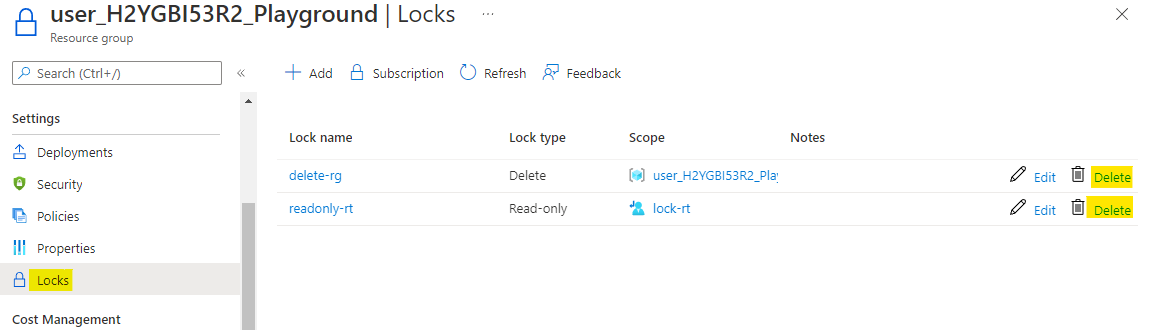
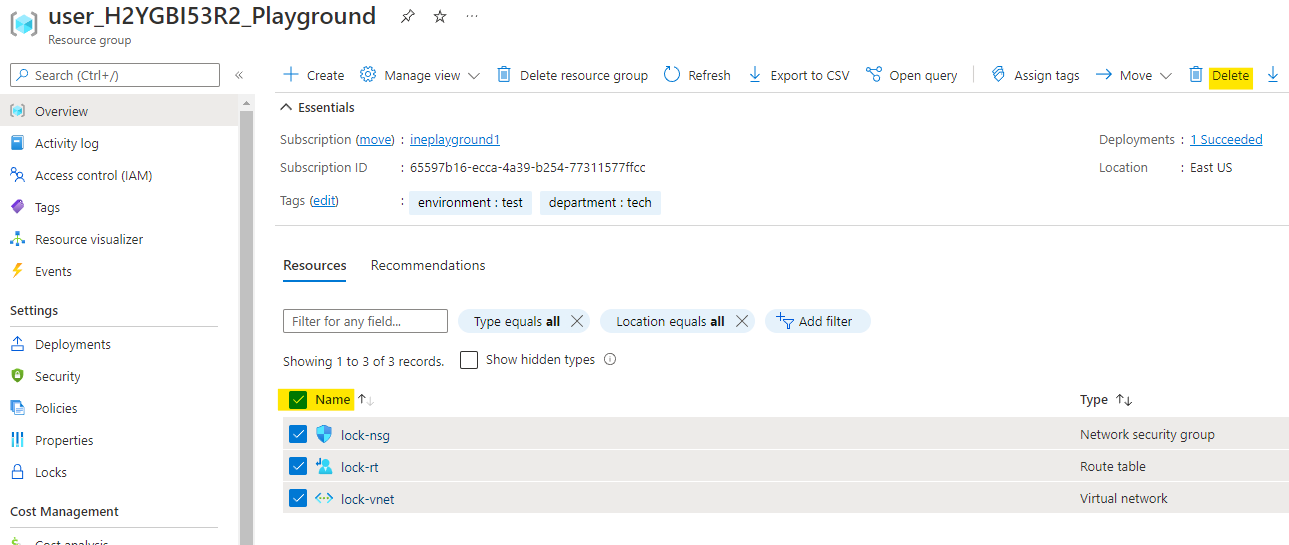
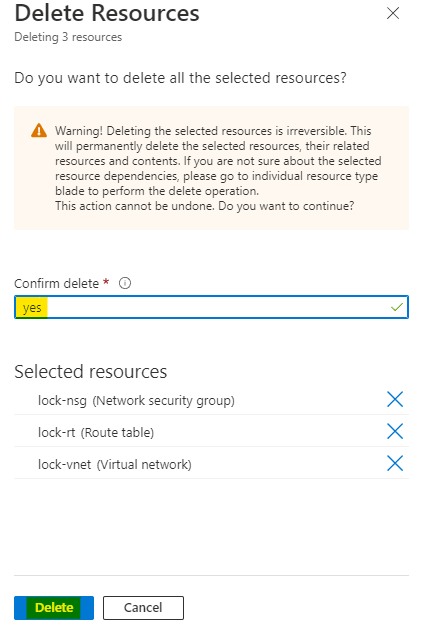
    "solutions": "# Lock a resource\n\nWhen you will login to your azure portal with the generated credentials. You will see that there are some resources pre created for you.\n\nThis all you will need to work with this lab.\n\n![](https://assets.ine.com/content/labs/azure-course-labs/manage-resource-locks/1.png)\n\nHere in the resource group you can see that, there are 3 resoruces. Go to the route table resource.\n\n![](https://assets.ine.com/content/labs/azure-course-labs/manage-resource-locks/2.png)\n\nGo to the locks option for the route table, click on **+ Add** to add a lock.\n\n![](https://assets.ine.com/content/labs/azure-course-labs/manage-resource-locks/3.png)\n\nName this lock as **readonly-rt** and set the lock type as **Read-only**. Click on **OK** to add the lock.\n\n![](https://assets.ine.com/content/labs/azure-course-labs/manage-resource-locks/4.png)\n\nNow go to the configuration of route table. Change the **Propagate gateway routes** option to **yes** and click on **Save**.\n\n![](https://assets.ine.com/content/labs/azure-course-labs/manage-resource-locks/5.png)\n\nYou will see an error that, we can't modify the config as there is a read-only lock on this route table.\n\n![](https://assets.ine.com/content/labs/azure-course-labs/manage-resource-locks/6.png)\n\n# Lock a resource group\n\nGo back to your resource group and open the **Locks**. Here click on **+ Add** to add a new lock. You can also see the lock for route table here.\n\n![](https://assets.ine.com/content/labs/azure-course-labs/manage-resource-locks/7.png)\n\nName this lock as **delete-rg** and set the lock type as **Delete**. Click on **OK** to add the lock.\n\n![](https://assets.ine.com/content/labs/azure-course-labs/manage-resource-locks/8.png)\n\nNow go to the **lock-nsg** resource of your resource group. Try to delete the nsg as highlighted below.\n\n![](https://assets.ine.com/content/labs/azure-course-labs/manage-resource-locks/9.png)\n\nYou will again encounter an error, that we can't delete a resource in this resource group, because of the delete lock.\n\n![](https://assets.ine.com/content/labs/azure-course-labs/manage-resource-locks/10.png)\n\n# Cleanup\n\nNow go back to the locks in the resource group. Click on the delete option in front of the locks to delete them.\n\n![](https://assets.ine.com/content/labs/azure-course-labs/manage-resource-locks/11.png)\n\nNow try to delete all the resource by selecting them all and clicking on the delete button as highlighted below.\n\n![](https://assets.ine.com/content/labs/azure-course-labs/manage-resource-locks/12.png)\n\nEnter **yes** in the confirmation and click on **Delete**.\n\n![](https://assets.ine.com/content/labs/azure-course-labs/manage-resource-locks/13.png)\n\nYou can see that all the resource are now deleted, after we removed the locks. There are 0 resources now.\n\n![](https://assets.ine.com/content/labs/azure-course-labs/manage-resource-locks/14.png)\n\nOur lab is now complete.",

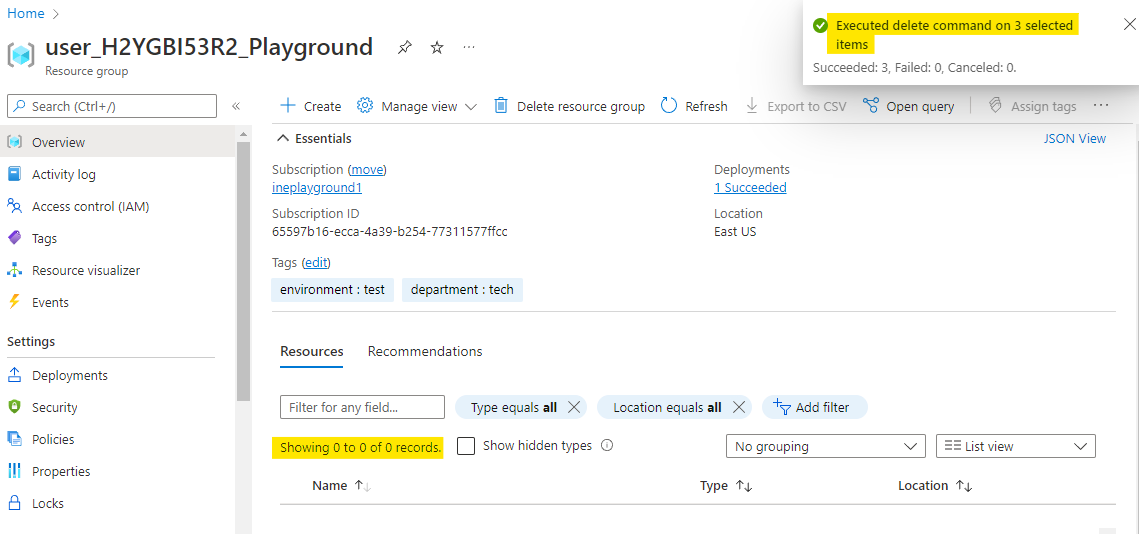
    "solutions_html": "<h1>Lock a resource</h1>\n<p>When you will login to your azure portal with the generated credentials. You will see that there are some resources pre created for you.</p>\n<p>This all you will need to work with this lab.</p>\n<p><img alt=\"\" src=\"https://assets.ine.com/content/labs/azure-course-labs/manage-resource-locks/1.png\" /></p>\n<p>Here in the resource group you can see that, there are 3 resoruces. Go to the route table resource.</p>\n<p><img alt=\"\" src=\"https://assets.ine.com/content/labs/azure-course-labs/manage-resource-locks/2.png\" /></p>\n<p>Go to the locks option for the route table, click on <strong>+ Add</strong> to add a lock.</p>\n<p><img alt=\"\" src=\"https://assets.ine.com/content/labs/azure-course-labs/manage-resource-locks/3.png\" /></p>\n<p>Name this lock as <strong>readonly-rt</strong> and set the lock type as <strong>Read-only</strong>. Click on <strong>OK</strong> to add the lock.</p>\n<p><img alt=\"\" src=\"https://assets.ine.com/content/labs/azure-course-labs/manage-resource-locks/4.png\" /></p>\n<p>Now go to the configuration of route table. Change the <strong>Propagate gateway routes</strong> option to <strong>yes</strong> and click on <strong>Save</strong>.</p>\n<p><img alt=\"\" src=\"https://assets.ine.com/content/labs/azure-course-labs/manage-resource-locks/5.png\" /></p>\n<p>You will see an error that, we can't modify the config as there is a read-only lock on this route table.</p>\n<p><img alt=\"\" src=\"https://assets.ine.com/content/labs/azure-course-labs/manage-resource-locks/6.png\" /></p>\n<h1>Lock a resource group</h1>\n<p>Go back to your resource group and open the <strong>Locks</strong>. Here click on <strong>+ Add</strong> to add a new lock. You can also see the lock for route table here.</p>\n<p><img alt=\"\" src=\"https://assets.ine.com/content/labs/azure-course-labs/manage-resource-locks/7.png\" /></p>\n<p>Name this lock as <strong>delete-rg</strong> and set the lock type as <strong>Delete</strong>. Click on <strong>OK</strong> to add the lock.</p>\n<p><img alt=\"\" src=\"https://assets.ine.com/content/labs/azure-course-labs/manage-resource-locks/8.png\" /></p>\n<p>Now go to the <strong>lock-nsg</strong> resource of your resource group. Try to delete the nsg as highlighted below.</p>\n<p><img alt=\"\" src=\"https://assets.ine.com/content/labs/azure-course-labs/manage-resource-locks/9.png\" /></p>\n<p>You will again encounter an error, that we can't delete a resource in this resource group, because of the delete lock.</p>\n<p><img alt=\"\" src=\"https://assets.ine.com/content/labs/azure-course-labs/manage-resource-locks/10.png\" /></p>\n<h1>Cleanup</h1>\n<p>Now go back to the locks in the resource group. Click on the delete option in front of the locks to delete them.</p>\n<p><img alt=\"\" src=\"https://assets.ine.com/content/labs/azure-course-labs/manage-resource-locks/11.png\" /></p>\n<p>Now try to delete all the resource by selecting them all and clicking on the delete button as highlighted below.</p>\n<p><img alt=\"\" src=\"https://assets.ine.com/content/labs/azure-course-labs/manage-resource-locks/12.png\" /></p>\n<p>Enter <strong>yes</strong> in the confirmation and click on <strong>Delete</strong>.</p>\n<p><img alt=\"\" src=\"https://assets.ine.com/content/labs/azure-course-labs/manage-resource-locks/13.png\" /></p>\n<p>You can see that all the resource are now deleted, after we removed the locks. There are 0 resources now.</p>\n<p><img alt=\"\" src=\"https://assets.ine.com/content/labs/azure-course-labs/manage-resource-locks/14.png\" /></p>\n<p>Our lab is now complete.</p>",
    "flags": [],
    "min_points_to_pass": null,
    "access_type": "web",
    "user_status": "unstarted",
    "user_lab_status": null,
    "user_status_modified": null,
    "user_flags": [],
    "global_running_session": null
}